The Talking-Head Storyboard Video, Step by Step
The exact workflow behind the reel — one still image becomes a 12-shot storyboard, then a finished video with matched transitions, grade, music, and a clean ElevenLabs voiceover. Built on ViralAI.
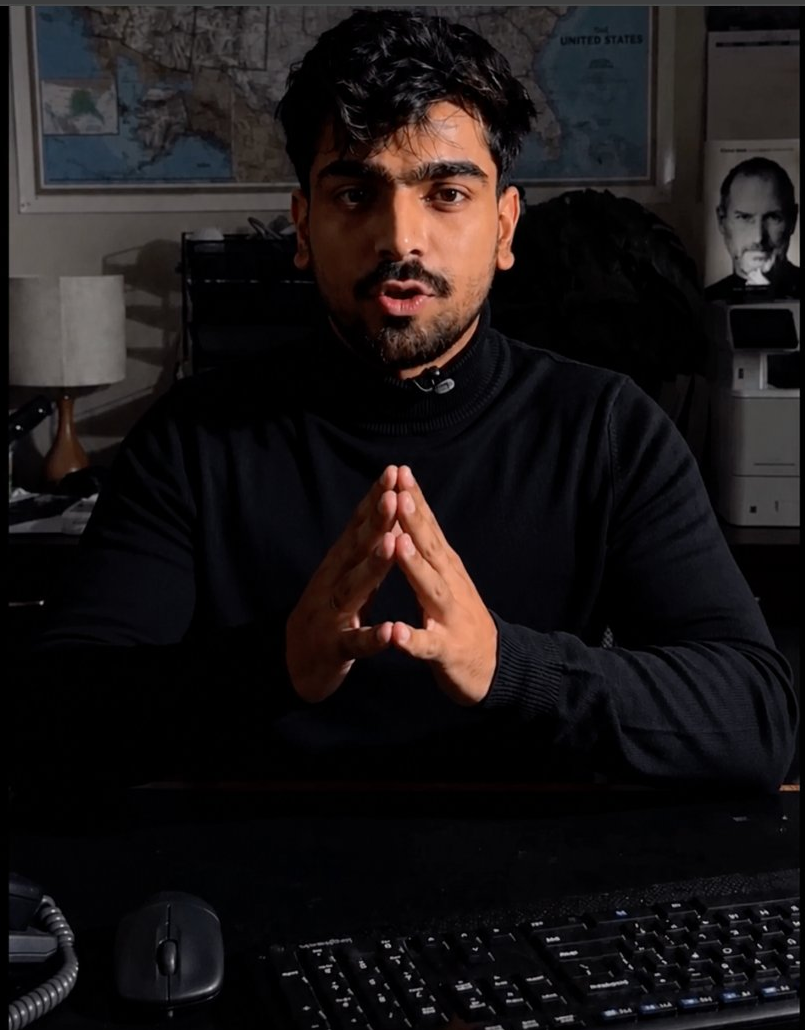
Lock your look frame
Everything starts from one clean still — your talking-head frame with the background you want to keep (the wall map, the desk, the lamp). This single image becomes the visual anchor for every panel, so the whole sequence stays consistent.
- Use a front-facing shot with even lighting and your subject centered.
- Strip any on-screen text or player UI first, so captions you add later sit on a clean plate.
- Keep the background uncluttered — it has to read at thumbnail size across 12 panels.
Remove all on-screen text, captions, and video-player controls from the
bottom of the frame. Keep the subject, lighting, and background exactly
as-is. Output a clean plate at 9:16.
Generate the 12-shot storyboard
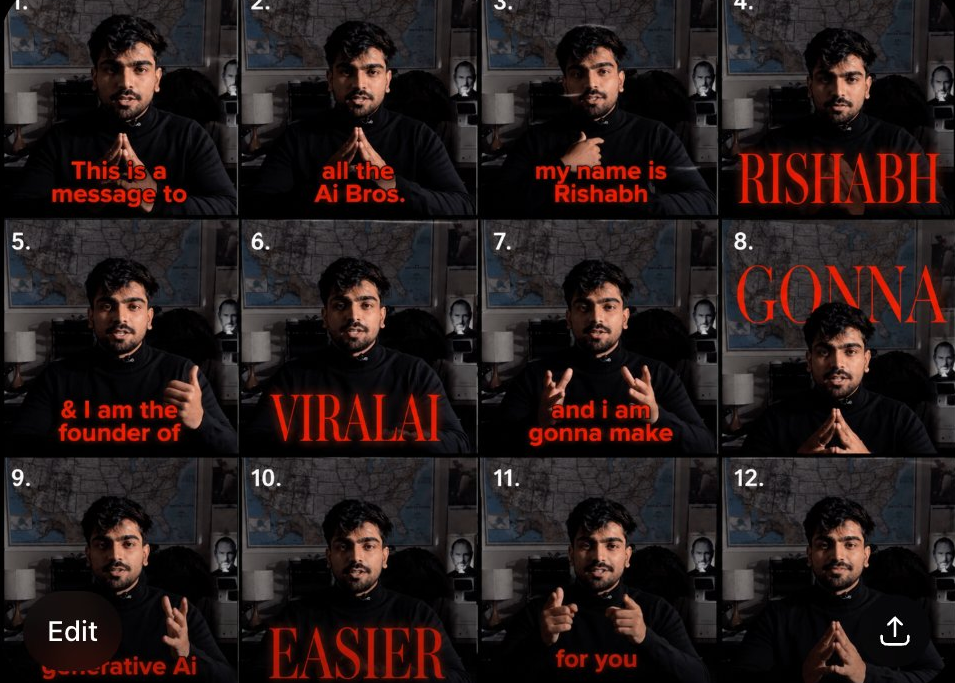
Now turn the clean frame into a 4×3 storyboard — twelve panels, same background, each panel carrying one line of your script as an on-screen caption in the red display style. This is your shot list and your caption map in one image. Feed ViralAI your clean frame plus the caption style reference, and break your script into one phrase per panel.
Using the same background and subject from the reference image, build a
4x3 storyboard (12 panels). Keep the bold red display caption style shown
in the reference.

Caption each panel in sequence:
1  "This is a message to"
2  "all the Ai Bros."
3  "my name is Rishabh"
4  "RISHABH"
5  "& I am the founder of"
6  "VIRALAI"
7  "and i am gonna make"
8  "GONNA"
9  "generative Ai"
10 "EASIER"
11 "for you"
12 (gesture / open frame, no caption)

Match caption placement, weight, and color to the reference. Same
lighting, same set.
Tip: swap the 12 lines for your own script — keep punchy fragments, one beat per panel. Single words (RISHABH, VIRALAI, GONNA, EASIER) hit harder as full-bleed emphasis frames.

Animate into video, match the reference
Take the storyboard and generate the moving version. The goal is to carry over the feel of your reference clip — its transitions, motion style, and color grade — while driving the new shots.
Animate the storyboard into a single vertical video. Reference the
transition style, camera movement, pacing, and color grading from the
reference clip. Hold each panel long enough to read its caption, then cut
on the beat. Keep the red caption style and the original background
throughout.
For the soundtrack, use the music bed from your reference clip only — not its dialogue. The spoken track comes from Step 4.
Do not use the spoken dialogue or voice audio from the reference video.
Music bed only. No duplicated captions, no warped faces, no background
changes.
Add the voiceover with ElevenLabs
The clean spoken line is generated separately in ElevenLabs, then laid over the video on top of the reference music bed. This keeps your VO crisp and fully in your control.
- Open ElevenLabs → Text to Speech.
- Pick a voice (a cloned voice of yourself, or a stock voice that fits your tone).
- Paste your script and generate. Keep it to the same line you captioned.
"This is a message to all the Ai Bros. My name is Rishabh and I am the
founder of ViralAI — and I'm gonna make generative AI easier for you."
Mix it together
- Layer: ElevenLabs VO on top, reference music bed underneath.
- Duck the music ~6–10 dB under the voice so every word lands.
- Align the VO so each phrase hits as its caption panel appears.
The whole flow, in one line
Clean frame → 12-panel storyboard → animate w/ reference style + grade
→ music bed only → ElevenLabs VO on top → mix & ship.
Human decision point: the captions and the script are where you make it yours. The AI matches the look; the words and the timing are the part worth obsessing over. Write the lines first, then build the panels around them.
Want the next recipe auto-sent to you?
Comment RECIPE on any ViralAI post and it lands in your DMs automatically. Or try the full workflow now — your first credits are on us.
ViralAI — generative AI video, made easier. A Krazyfox product. Reference style, music, and voice settings are starting points — tune them to your own footage and brand voice.